

- Published on
AI Time Management Software Worth Using in 2026: Top Tools to Master Your Schedule
Listen to the full article:
- Authors

- Name
- Jagadish V Gaikwad
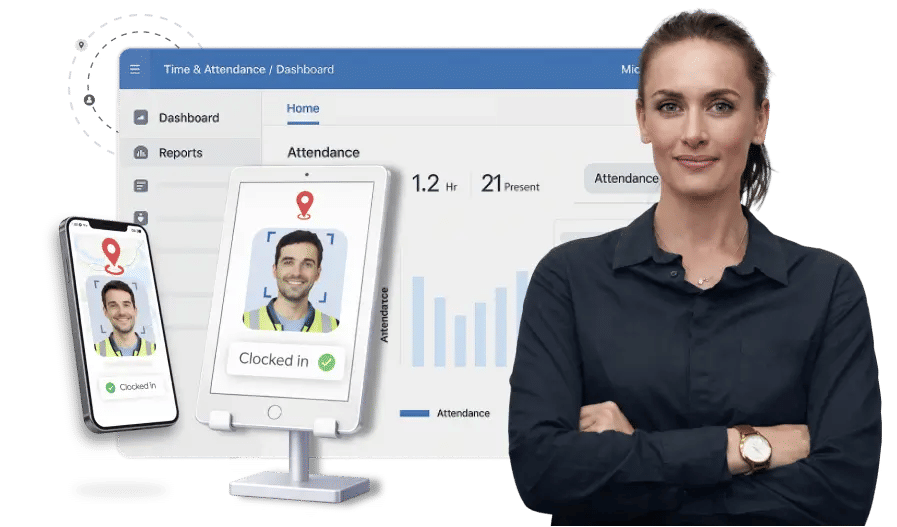
If you’re still manually blocking time, rescheduling meetings, or guessing how long a task will take, you’re already behind. In 2026, AI time management software doesn’t just organize your calendar—it actively defends your focus, auto-adjusts for conflicts, and learns your work rhythms to optimize your day before you even open your laptop.
The best tools go beyond simple task lists. They integrate with Gmail, Slack, and Google Calendar to automate coordination, summarize meetings, and predict time estimates based on your historical data. Whether you’re a solo creator drowning in admin or a team leader trying to protect deep work, the right AI stack can save you 1–3 hours per week—time you can actually spend on high-value work.
Let’s break down the AI time management software worth using this year, ranked by real impact, ease of setup, and integration depth.
Why AI Time Management Is Non-Negotiable in 2026
Workloads are scaling faster than human capacity. Teams rely on email, meetings, and shared systems to get work done, making manual time management inefficient . In 2026, top AI tools don’t just assign tasks—they reduce coordination time by automating how work is scheduled, summarized, and organized .
The shift is clear: from passive tracking to active optimization. Instead of you deciding when to do something, AI decides based on deadlines, priorities, energy levels, and calendar availability.

The Top 5 AI Time Management Tools Worth Using
Here’s the curated shortlist of the most effective platforms for 2026, based on real-world performance, user feedback, and integration capabilities .
1. Reclaim.ai: Best for Smart Calendar Optimization (Free to Start)
Reclaim.ai is the go-to for anyone who wants gentle, automated calendar optimization without breaking the bank. It automatically schedules habits, tasks, meetings, focus time, and buffers across your calendar .
What makes it stand out:
- Protects your habits: Never miss your weekly fitness goals or reading targets .
- Defends focus time: Rearranges your schedule to protect time for important tasks .
- Free tier available: Best starting point for smart scheduling without cost .
- Google Calendar integration: Seamlessly works with your existing calendar .
“Reclaim doesn’t just schedule meetings; it protects your focus time, automatically reschedules tasks when conflicts come up, and learns your preferences over time” .
If meetings are your biggest time drain, start here. Reclaim’s free tier handles smart scheduling and calendar management without costing anything .
2. Motion: Best for Full-Scale Automated Calendar Optimization
If you want AI to reconstruct your schedule by the minute, Motion is the answer . It auto-schedules tasks alongside meetings based on deadlines, priorities, and available time .
Key features:
- Minute-by-minute optimization: AI rebuilds your day every morning .
- Project management focus: Helps track all tasks you still need to complete .
- Deadline-driven precision: Figures out where everything fits based on urgency .
Motion is ideal if you’re serious about calendar auto-optimization and need task management built in . It’s priced at $34/month, but the time savings often justify the cost for busy professionals .
3. Clockwise: Best for Team-Level Deep Work Protection
Clockwise is better for teams, promising to save you one hour per week by optimizing meeting times and protecting deep work blocks . It proves its value by scheduling a one-hour break shortly after you start using it .
Why teams love it:
- Team-level optimization: Coordinates across multiple calendars to reduce conflicts .
- Deep work protection: Shields focus time from unnecessary interruptions .
- Transparent ROI: Shows you the hour saved within days .
Clockwise’s team pricing starts at $7.75/user/month, making it accessible for growing teams .
4. TimeHero: Best for Auto-Scheduling Tasks with Deadline Precision
TimeHero automatically plans and adjusts your schedule based on priorities, deadlines, and real-time calendar changes . It organizes daily, weekly, and recurring tasks intelligently while highlighting high-risk items that may be delayed .
Standout capabilities:
- Workflow templates: Simplifies project planning with pre-built structures .
- Task dependencies: Understands how tasks connect and adjusts accordingly .
- Smart automation: Improves overall productivity by reducing manual planning .
TimeHero is perfect if you want deadline-driven precision without micromanaging your calendar .
5. Notion AI: Best for Centralizing Documents + Tasks
If you want to unify documents and tasks in one customizable space, Notion AI is the top choice . With Notion Agent and Custom Agents, you can automate work across notes, tasks, and databases .
Key benefits:
- All-in-one workspace: Blends notes, tasks, and AI in one place .
- Custom agents: Automate repetitive workflows with tailored AI .
- Flexible customization: Adapts to any workflow, from personal to enterprise .
Notion AI is ideal if you already use Notion for documentation and want AI to handle task prioritization and scheduling .

Comparison Table: AI Time Management Tools at a Glance
| Tool | Best For | Pricing | Key Feature |
|---|---|---|---|
| Reclaim.ai | Smart calendar optimization | Free (Starter $12/user/mo) | Protects habits & focus time |
| Motion | Minute-by-minute auto-scheduling | $34/month | Reconstructs schedule by minute |
| Clockwise | Team deep work protection | Free (Teams $7.75/user/mo) | Saves 1 hour/week |
| TimeHero | Deadline-driven task auto-planning | Varies | Highlights high-risk delayed items |
| Notion AI | Documents + tasks unification | Varies | Custom agents for automation |
How to Choose the Right AI Time Management Tool
Selecting the right tool depends on your specific workflows, scale, and integration requirements . Here’s a quick decision guide:
- If meetings are your biggest time drain: Start with Reclaim.ai (free) .
- If your calendar is chaos: Try Motion for full auto-optimization .
- If you don’t know where your time goes: Install RescueTime for productivity pulse tracking .
- If you need team coordination: Go with Clockwise .
- If you want deadline precision: Choose TimeHero .
- If you unify docs + tasks: Pick Notion AI .
“Master one tool before adding another. The worst thing you can do is install everything at once and configure nothing properly” .
Start with one problem. If meetings are the issue, try Fireflies.ai. If email eats your mornings, try Superhuman. If presentations take afternoons, run them through Gamma .
Bonus: AI Time Tracking Tools for Insight
Beyond scheduling, AI time tracking software automatically records and analyzes how time is spent on tasks . This is crucial for freelancers, project managers, and remote teams to improve productivity and manage time efficiently .
Top options:
- RescueTime: Tracks computer usage and gives a “productivity pulse” score .
- Toggl Track: Added AI-powered time estimates based on historical data .
- Timely: Purpose-built for automatic time tracking and analytics .
AI time tracking reduces manual errors, provides real-time insights, and helps optimize resource allocation .
Real-World Stack: $20/Month AI Productivity Setup
You don’t need to spend hundreds. Here’s a sample $20/month stack that covers scheduling, meetings, email, and focus:
- Gmail AI (free): Smart email organization
- Reclaim AI (free): Smart scheduling
- Otter.ai (free tier): Meeting transcription
- SaneBox ($7/month): Email prioritization
- Brain.fm ($7/month): Focus music
Total: $14/month . This stack handles the biggest time sinks without overcomplicating your workflow.
Final Thoughts: Start Small, Scale Smart
The best AI time management software isn’t the most expensive—it’s the one that solves your biggest time sink without adding friction. Reclaim.ai’s free tier is the best starting point for most users . Upgrade to Motion if you need task management too .
Don’t try to automate everything at once. Pick one problem, master the tool, then expand. In 2026, AI time management isn’t optional—it’s the difference between working all day and working on your day.
What’s your biggest time drain right now: meetings, email, or task overload? Share your thoughts in the comments below.
You may also like
- Best AI SaaS Tools for Small Businesses in 2025: Boost Growth and Efficiency
- AI-Powered Document Intelligence Platforms: The Ultimate Guide for Modern Businesses in 2026
- AI-powered SaaS for Team Collaboration: How to Build Smarter, Faster Teams
- Edge Computing vs Cloud Computing: What’s the Difference and Why It Matters in 2025
- Best AI-Powered Helpdesk Software for Startups in 2025: Top Picks and Features