

- Published on
MCP Servers Explained for Developers: The Ultimate Guide to Model Context Protocol
Listen to the full article:
- Authors

- Name
- Jagadish V Gaikwad
If you’ve been building AI apps lately, you’ve probably hit the same wall: context management. Your LLM keeps forgetting what happened five messages ago, or it can’t access your live database without a messy custom API. Enter MCP servers—the new standard that’s changing how developers connect AI to real-world tools.
The Model Context Protocol (MCP) is an open standard introduced by Anthropic that defines how applications interact with language models while efficiently managing context. Instead of every AI app building its own connectors to every external system, both sides implement a shared protocol. A service exposes itself as an MCP server once, and any MCP-compatible client can use it without custom integration .
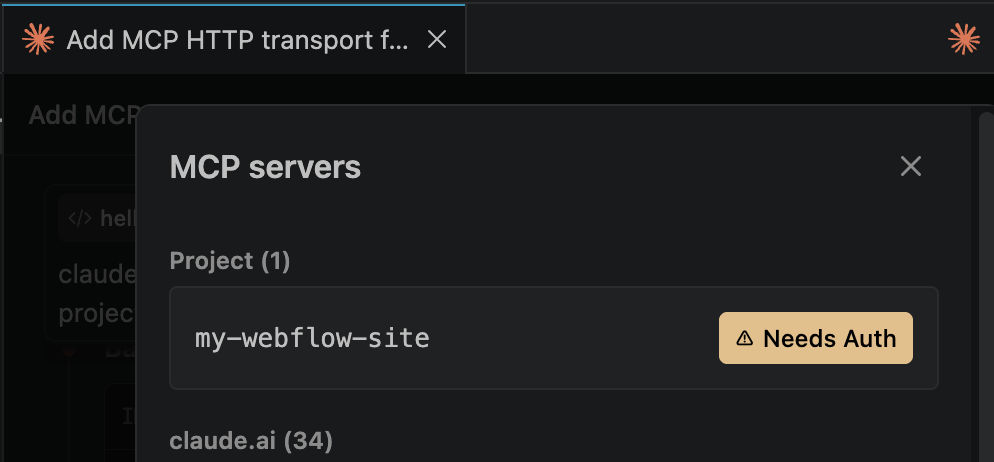
For developers, this means MCP servers turn AI into a reliable, context-aware assistant rather than a generic code generator. By injecting live project data, dependency intelligence, and security context directly into development tools, MCP servers help you make better decisions without leaving your workflow .
What Exactly Is an MCP Server?
An MCP server is a specialized server that implements the Model Context Protocol specifications. It serves as middleware between your application and language models, providing optimized context handling, memory management, and state persistence across interactions .
Unlike traditional API calls where context is handled within each request, an MCP server maintains context as a first-class citizen. This allows for more sophisticated and efficient AI interactions where the model can reference historical data, understand project structure, and maintain state across multiple turns .
Key Characteristics of MCP Servers
A server becomes an MCP server when it implements the protocol specs. Here’s what makes them special:
- Context Management: Implements strategies for context maintenance, summarization, and relevance determination
- Capability Exposure: Registers what tools it offers and what data it can provide
- Standardized Interface: Uses JSON-RPC 2.0 underneath for the data layer
- Transport Flexibility: Supports both local (Stdio) and remote (Streamable HTTP) connections
Common examples include file system servers for document access, database servers for data queries, GitHub servers for code management, Slack servers for team communication, and calendar servers for scheduling .
The MCP Architecture: How It Actually Works
The MCP follows a client-server architecture with three key participants that you need to understand:
| Component | Role | Example |
|---|---|---|
| MCP Host | The AI application coordinating interactions | IDE plugin, build pipeline, AI agent |
| MCP Client | Component within host maintaining connection to specific server | Cursor, Windsurf, Tempo AI |
| MCP Server | Program exposing capabilities through standardized protocol | Database server, GitHub server, file system server |
The protocol splits communication into two layers:
- Data Layer: The actual protocol using JSON-RPC 2.0, defining connection lifecycle and primitives
- Transport Layer: The pipe messages travel through from client to server
For remote servers, Streamable HTTP is used. The client and server exchange JSON-RPC messages over a single HTTP endpoint supporting both POST and GET, with the server optionally using Server-Sent Events to stream multiple messages back . This is particularly useful for long-running calls and server-initiated notifications.
Three Types of Capabilities MCP Servers Provide
MCP servers provide three distinct types of capabilities, each with a different control model that’s crucial for understanding security and permissions:
1. Tools: Executable Functions
Tools are executable functions that perform actions like querying vulnerability intelligence, analyzing dependencies, or checking policy rules . The AI model may decide when to invoke a tool, but the host controls whether it’s allowed to execute.
This means permission enforcement happens in the host—applications implement approval dialogs, permission settings, and audit logs for tool executions . Servers are capability providers, not policy enforcers; they expose what they can do, and the host decides what’s allowed .
2. Resources: Read-Only Context Data
Resources are read-only context data such as dependency manifests, vulnerability reports, policy configurations, or license metadata . The host selects which resources are available to the model.
This is where MCP shines for developers. Instead of the AI guessing what your project looks like, it can access live dependency manifests and real-time security insights as code is written or reviewed .
3. Prompts: Reusable Templates
Prompts are reusable templates that structure interactions for specific workflows. Users or applications explicitly invoke these .
This capability helps standardize complex workflows, ensuring the AI follows consistent patterns when handling specific tasks like security reviews or dependency upgrades.
Why Developers Need MCP Servers Right Now
For developers, MCP servers solve a critical problem: LLMs by themselves are limited to text prediction and cannot perform meaningful tasks without tools . MCP solves this by creating a standardized communication protocol that connects multiple tools to LLMs .
The Context Problem MCP Solves
Traditional API interactions with LLMs have major limitations around context management. Every request is isolated, forcing you to manually pass conversation history, project state, and relevant data. This leads to:
- Context window exhaustion as conversations grow
- Inconsistent state across multiple requests
- Manual integration work for every new tool
- Poor performance from redundant data transmission
MCP addresses these by maintaining context as a first-class citizen, allowing for more sophisticated and efficient AI interactions .
Real Developer Use Cases
Developers use MCP servers to:
- Build context-aware applications that respond to real system state
- Automate dependency remediation using accurate, up-to-date metadata
- Receive real-time security insights as code is written or reviewed
- Enable AI-assisted coding with live project context
- Perform context-aware remediation without leaving the IDE
- Execute dependency upgrades with accurate version information

How to Build Your Own MCP Server
Yes, you can build your own MCP server. Here’s what you need:
Technical Requirements
- Programming Knowledge: Familiarity with a language suitable for server implementation (Python is common)
- API Access: Access to an LLM API (Anthropic’s Claude, OpenAI’s GPT, etc.)
- Or run the LLM locally with ollama
- Server Environment: A system to host your server (can be local for development)
- Database: For persistent storage of conversation history and context (PostgreSQL, MongoDB, etc.)
- Understanding of Protocol: Familiarity with the MCP specification
Implementation Steps
- Start with one of the reference implementations or starter repositories
- Set up your development environment and dependencies
- Configure your model API credentials
- Implement the core protocol endpoints
- Add context management strategies based on your use case
- Test with simple client applications
- Optimize for your specific requirements
The beauty of MCP is that once you implement the protocol, any MCP-compatible client can use your server without requiring custom integration . This is similar to how the Language Server Protocol (LSP) helps different programming languages connect with dev tools .
MCP vs Traditional API Integrations: The Comparison
Let’s break down why MCP is superior to building custom API integrations for every tool:
| Aspect | Traditional API Integration | MCP Server Approach |
|---|---|---|
| Integration Work | Custom connector for each client-tool pair | Single implementation, any client works |
| Context Management | Handled per request, isolated state | Maintained as first-class citizen |
| Scalability | N×M integrations needed | 1 server, N clients |
| Standardization | Each API has unique format | Shared JSON-RPC 2.0 protocol |
| Permission Control | Built into each API | Enforced in host, not server |
| Development Time | Weeks per integration | Days with reference implementations |
The key difference: Instead of every AI application building its own connectors to every external system, both sides implement a shared protocol . This means an MCP server can be used by any compatible MCP client without requiring custom integration .
Security and Permission Models in MCP
Understanding MCP’s security model is critical for production deployments. The protocol follows a clear separation:
- Servers are capability providers, not policy enforcers
- Permission enforcement happens in the host
- Applications implement approval dialogs, permission settings, and audit logs for tool executions
This means when your AI model decides to invoke a tool (like querying a database or checking vulnerabilities), the host application controls whether it’s allowed to execute . The server just exposes what it can do; the host decides what’s allowed .
For enterprise use, this architecture enables:
- Granular permission controls per user or team
- Audit logging of all tool executions
- Approval workflows for sensitive operations
- Role-based access to different capabilities
The MCP Ecosystem: Clients and Servers
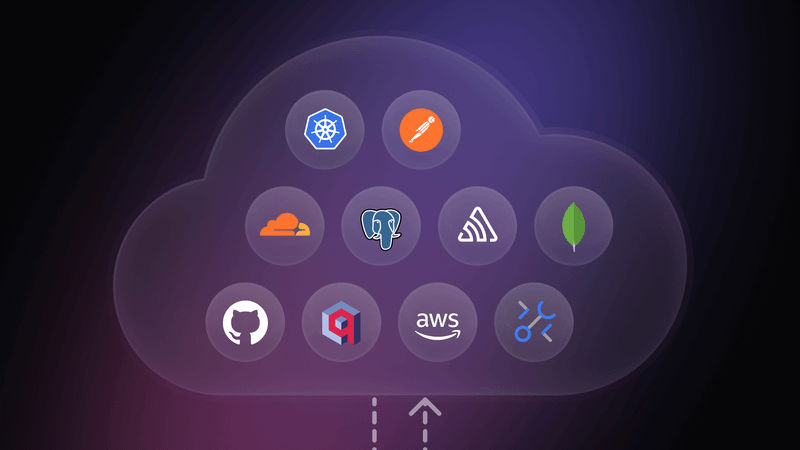
The MCP ecosystem consists of clients, the protocol, servers, and services . Here’s the breakdown:
- MCP Clients: User-facing apps like Tempo AI, Windsurf, Cursor
- Protocol: The standardized communication method
- MCP Servers: Translate between client and services
- Services: The actual tools (database, search engine, etc.)
Popular clients already supporting MCP include major AI coding tools and IDE plugins. As the ecosystem grows, more applications will adopt MCP compatibility, making your servers universally accessible.
When Should You Use MCP Servers?
MCP servers are ideal when you need:
- Context-aware AI applications that respond to real system state
- Multiple clients accessing the same external service
- Persistent context across conversation turns
- Standardized integration rather than custom APIs
- Tool execution with host-controlled permissions
- Read-only data access to project resources
You might not need MCP if you’re building a simple chatbot with no external tool integration, or if you only need one client accessing one service (though MCP still simplifies this).
Future of MCP for Developers
The MCP is an open standard that gives context management a cleaner shape . As more developers adopt it, we’ll see:
- More pre-built servers for common tools (databases, APIs, cloud services)
- Better IDE integration with native MCP support
- Enterprise adoption for secure AI workflows
- Community contributions expanding the server ecosystem
The protocol is partially inspired by the Language Server Protocol (LSP), which already revolutionized how programming languages connect with dev tools . MCP aims to provide a universal way for AI applications to interact with external systems by standardizing context .
Key Takeaways for Your Next Project
If you’re building AI-powered tools, here’s what matters:
- MCP servers turn AI into context-aware assistants rather than generic generators
- You can build your own MCP server with Python, an LLM API, and a database
- The protocol uses JSON-RPC 2.0 for the data layer
- Permission enforcement happens in the host, not the server
- One server implementation works with any compatible client
- Common servers include file system, database, GitHub, Slack, and calendar integrations
The bottom line: MCP eliminates the need for custom integrations between every AI app and every external tool. By implementing the protocol once, your server becomes universally accessible to any MCP-compatible client.
What’s your experience with MCP servers? Are you building one for your project, or waiting for more pre-built options? Share your thoughts in the comments below.
You may also like
- Nvidia Teases Major GeForce Now Announcement Ahead of Gamescom 2025 — No New Hardware Yet
- Perplexity's Bold $34.5 Billion Bid to Buy Google Chrome: A New Chapter in AI and Browser Wars
- Unlock Ultimate Gaming Power with 3 AirGPU Remote Gaming Rigs in 2025
- AI Copilots vs Human Teams: What Businesses Are Learning in 2026
- How DLSS 4 Is Transforming Game Streaming and Recording in 2025